
Raff — Pharmacy Management System
An Arabic pharmacy management system covering point of sale, batch and expiry stock, purchasing, returns, stocktake and shift close, with an online store for customer orders, cash on delivery or bank prepayment, and courier delivery. Selling keeps going inside the pharmacy when the internet drops.
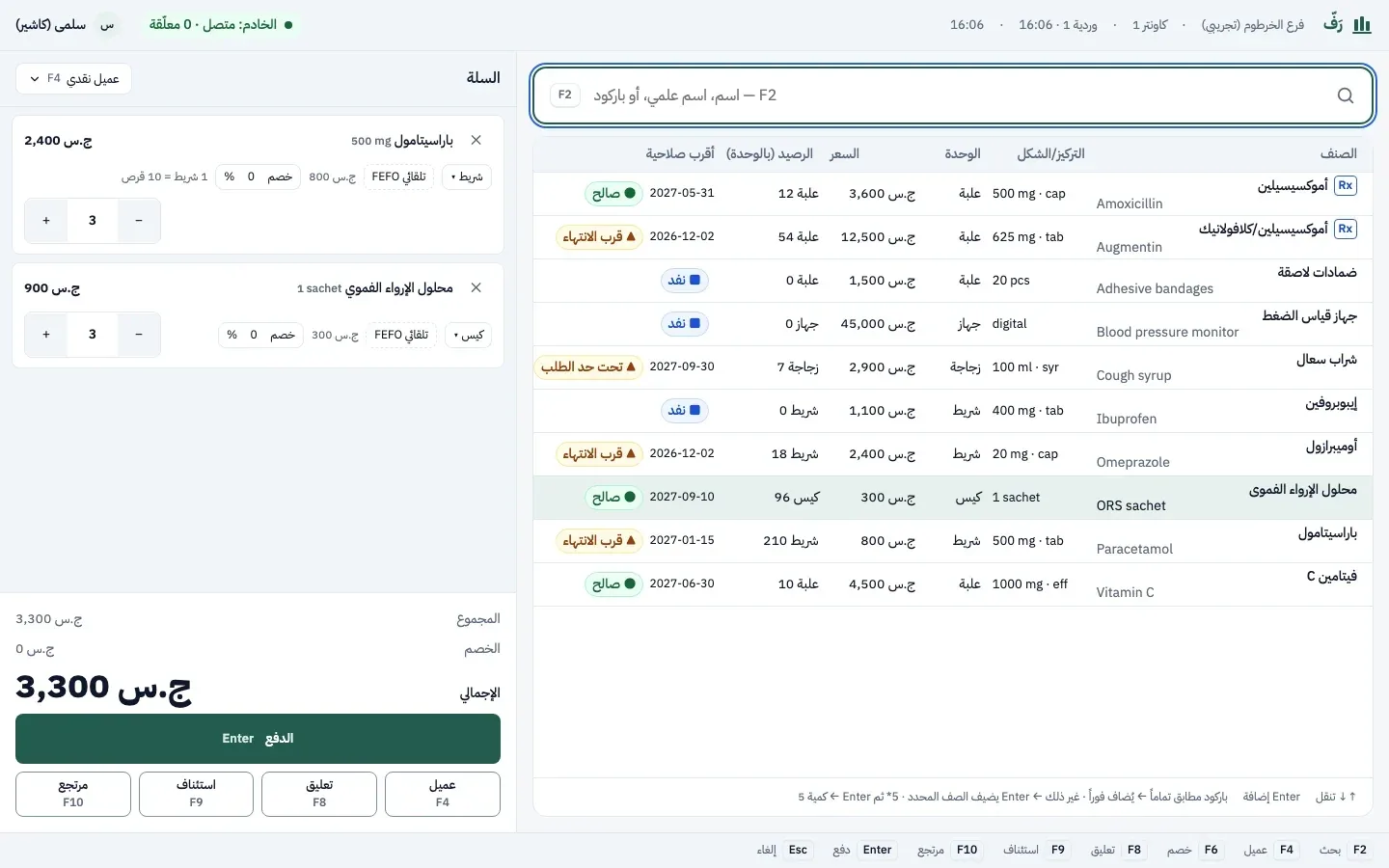
Raff is an end-to-end pharmacy management system, from the cash desk to the online store. The point of sale searches by name or barcode, takes cash or bank transfer and prints a receipt. Stock is tracked per batch with expiry dates, so an expired batch is never sold and quantities are reserved for customer orders. Selling works without the internet: the system is installed on a server inside the pharmacy, so the point of sale, stock and receipts keep working over the local network when the internet drops; only the online store needs it.
It covers purchasing, goods receipt and suppliers, returns, stocktake with the phone camera, shift close that compares expected and counted cash, branch transfers, reports, permissions and an audit log. Posted documents are immutable; mistakes are fixed with reversing documents.
Customers get an online store with browsing, a cart and order tracking: cash on delivery or bank prepayment with a photo of the transfer receipt, pickup at the pharmacy or home delivery, and direct WhatsApp contact. A delivery order is assigned to a courier who opens their own phone app to see the orders assigned to them and the customer's address, call or message the customer, confirm pickup from the pharmacy, then confirm delivery and the cash collected, and every step updates the order status for the pharmacy and the customer. It installs as a phone app (PWA) with Arabic and English interfaces in light and dark themes.
Built to serve one pharmacy today and to scale to several organizations later, with regular encrypted backups and a tested restore.
System screenshots
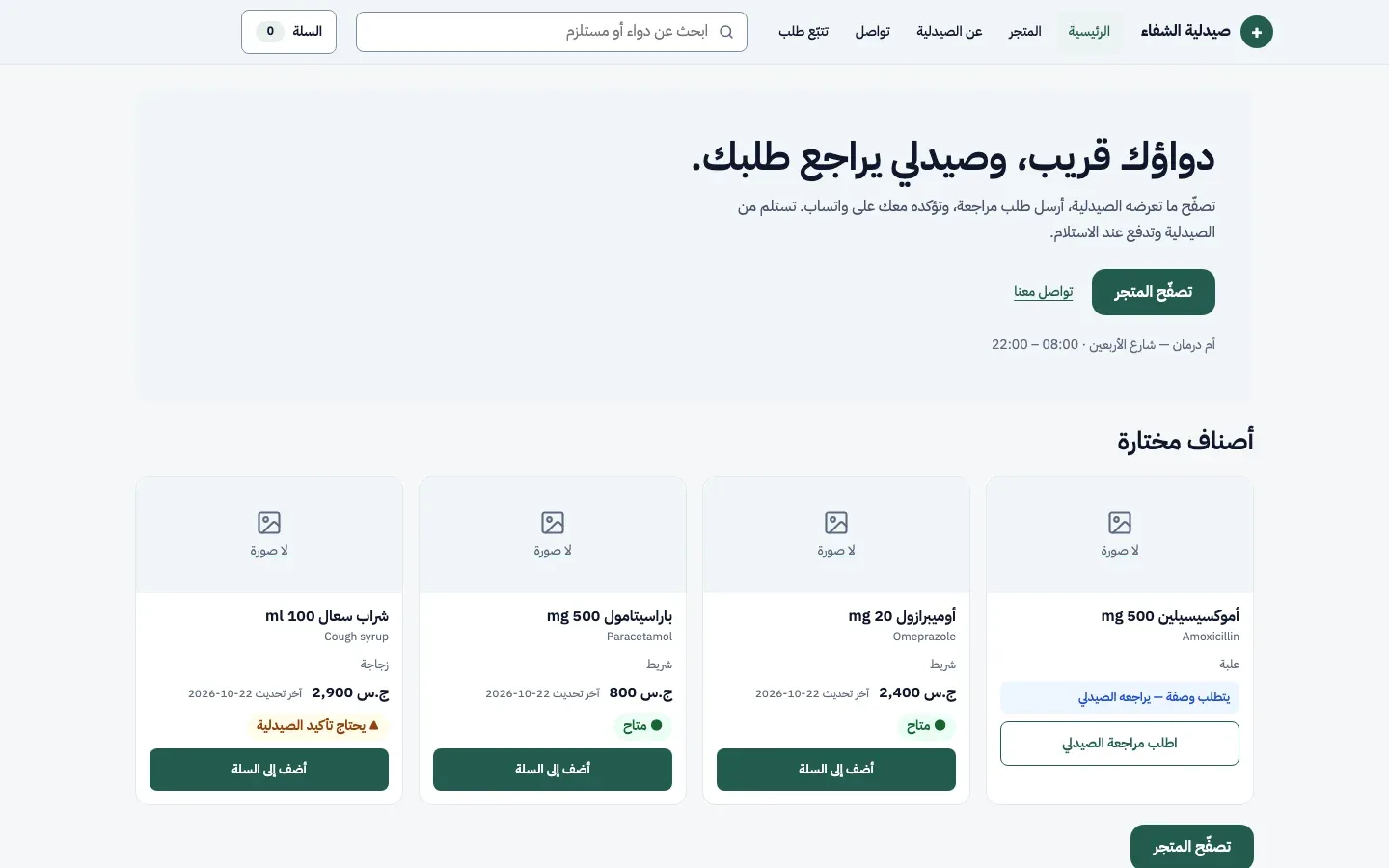
Online store: browse items and send an order or ask the pharmacist to review 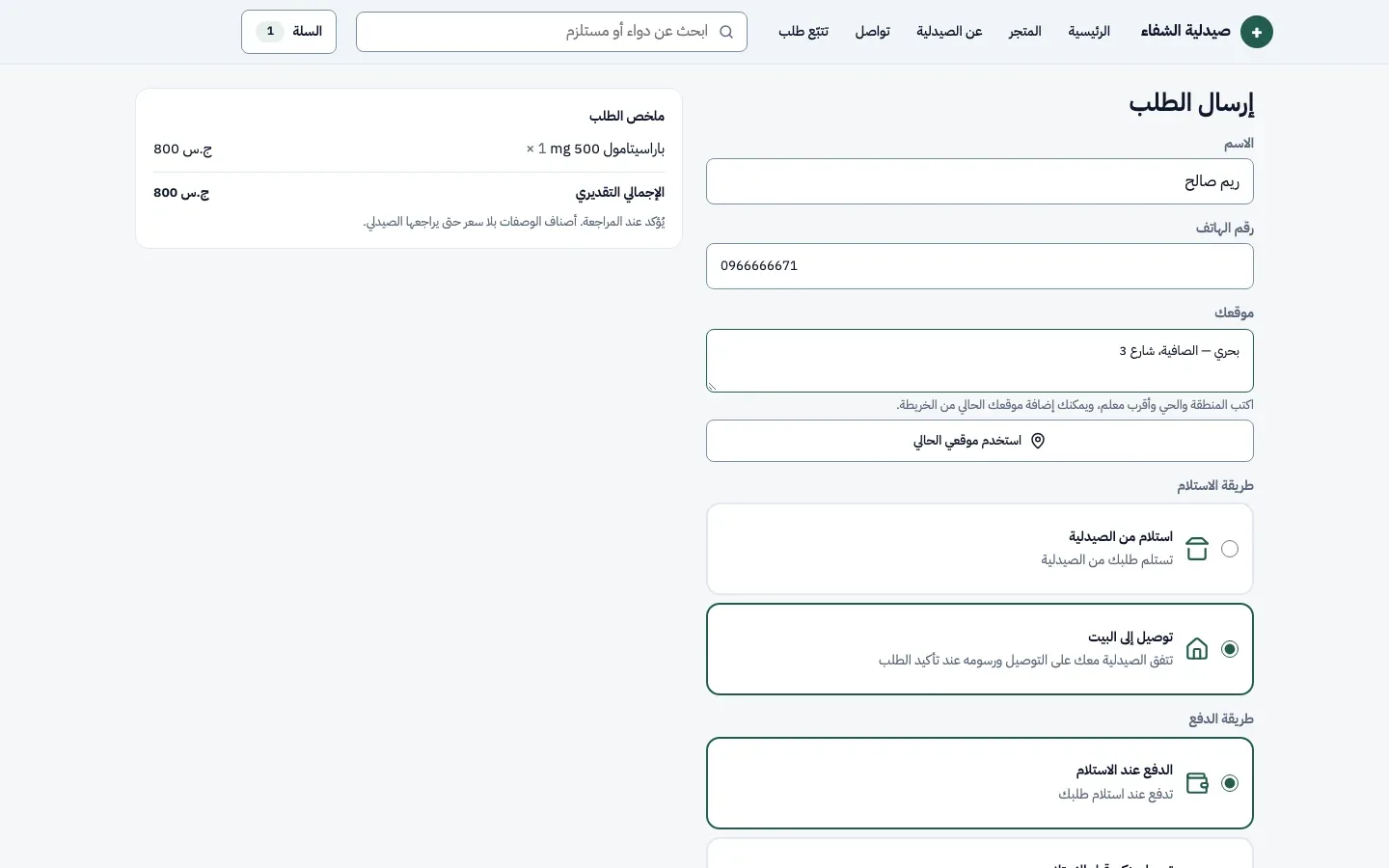
Checkout: pickup or home delivery, cash on delivery or bank prepayment 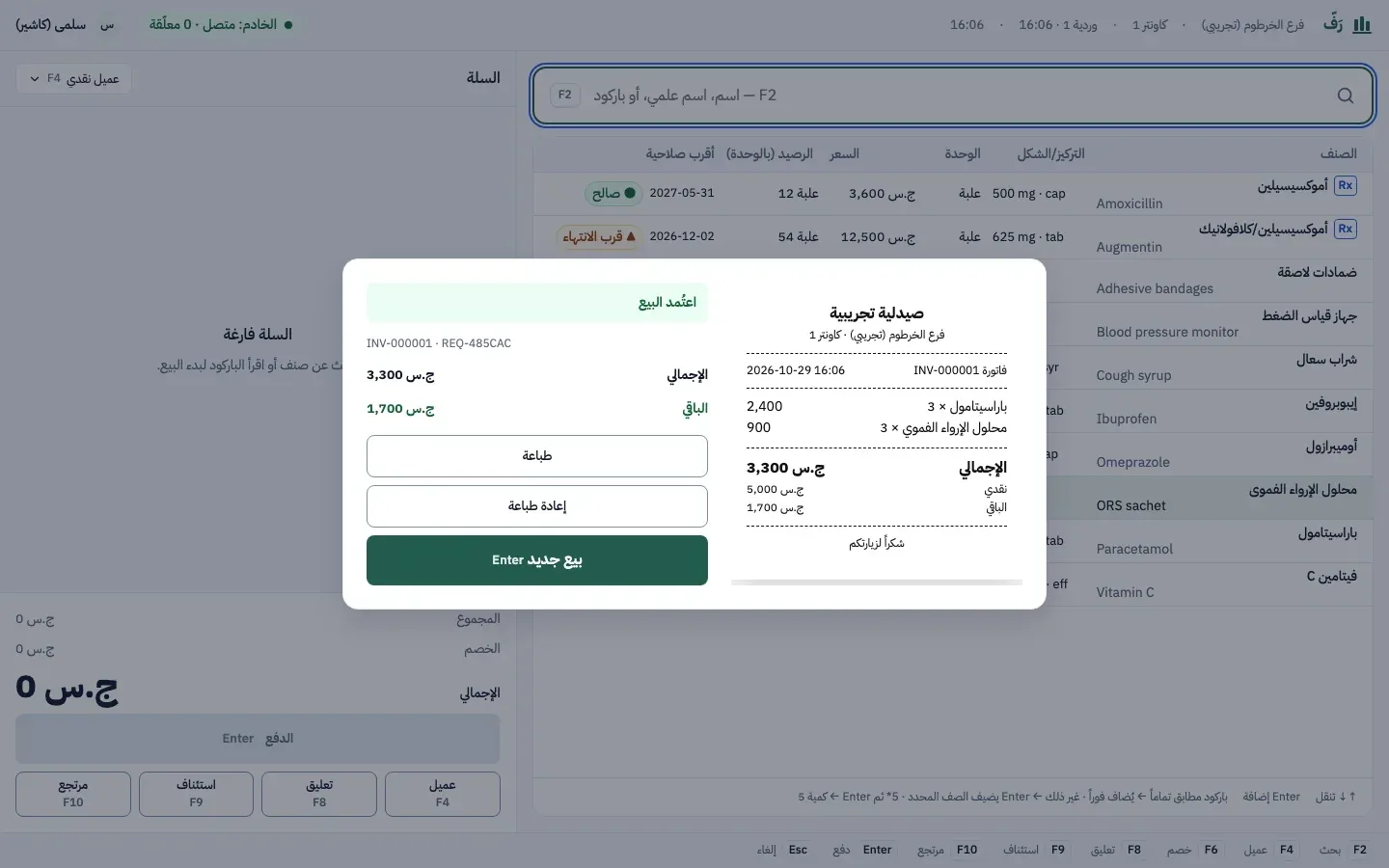
Point of sale: an approved sale with a ready-to-print receipt 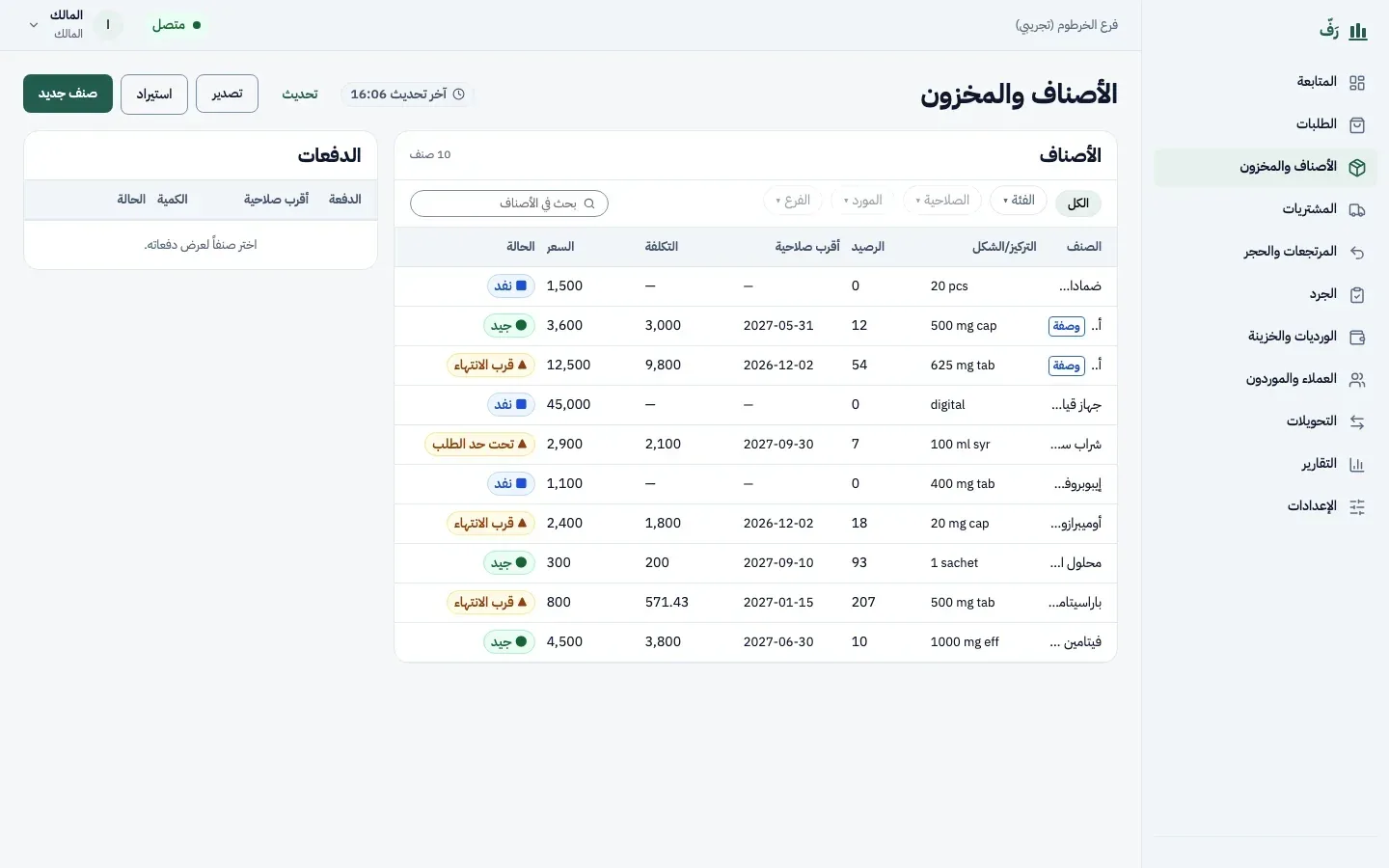
Inventory: batches, expiry dates and stock-out alerts 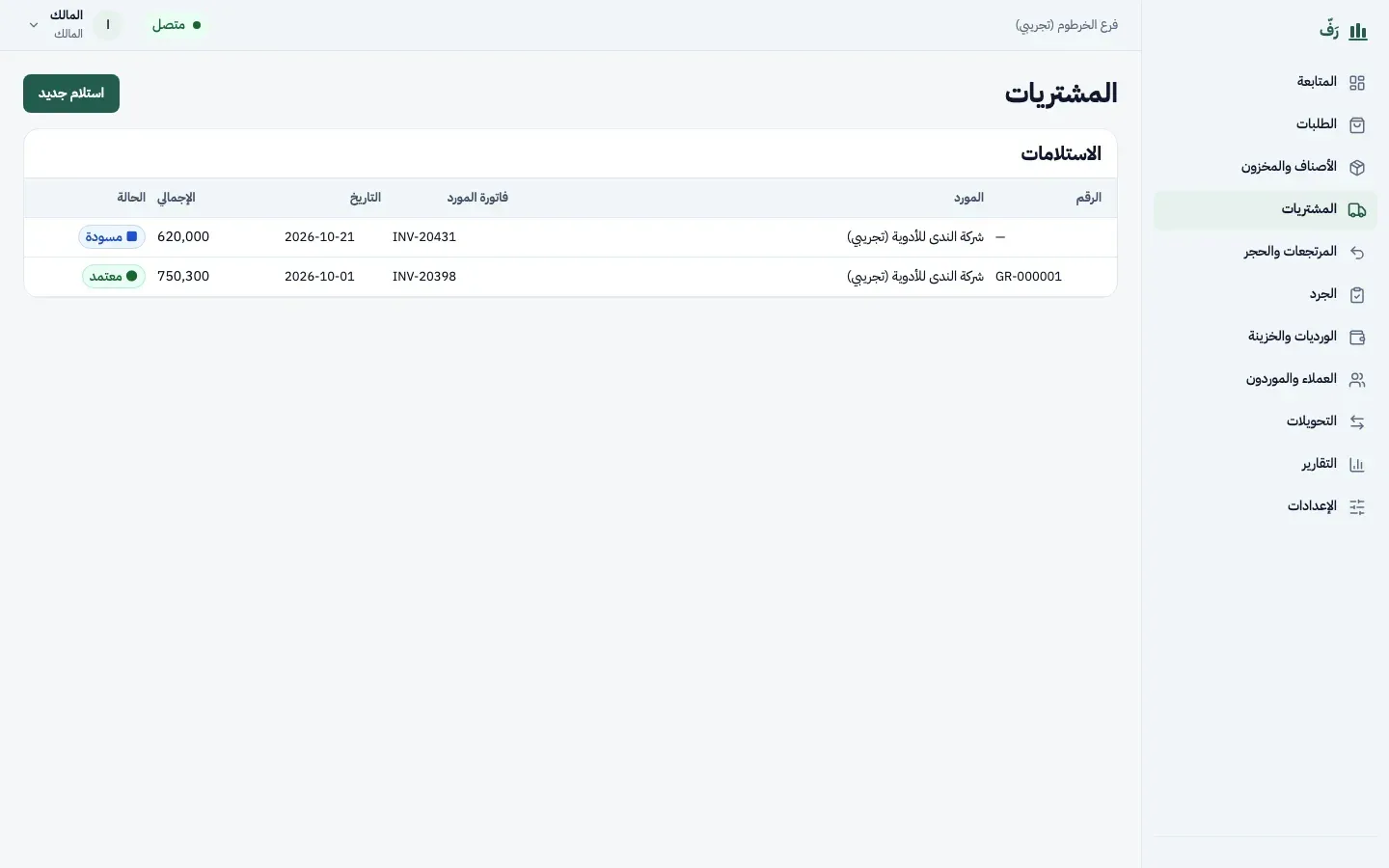
Purchasing: goods receipt from suppliers, from draft to approval 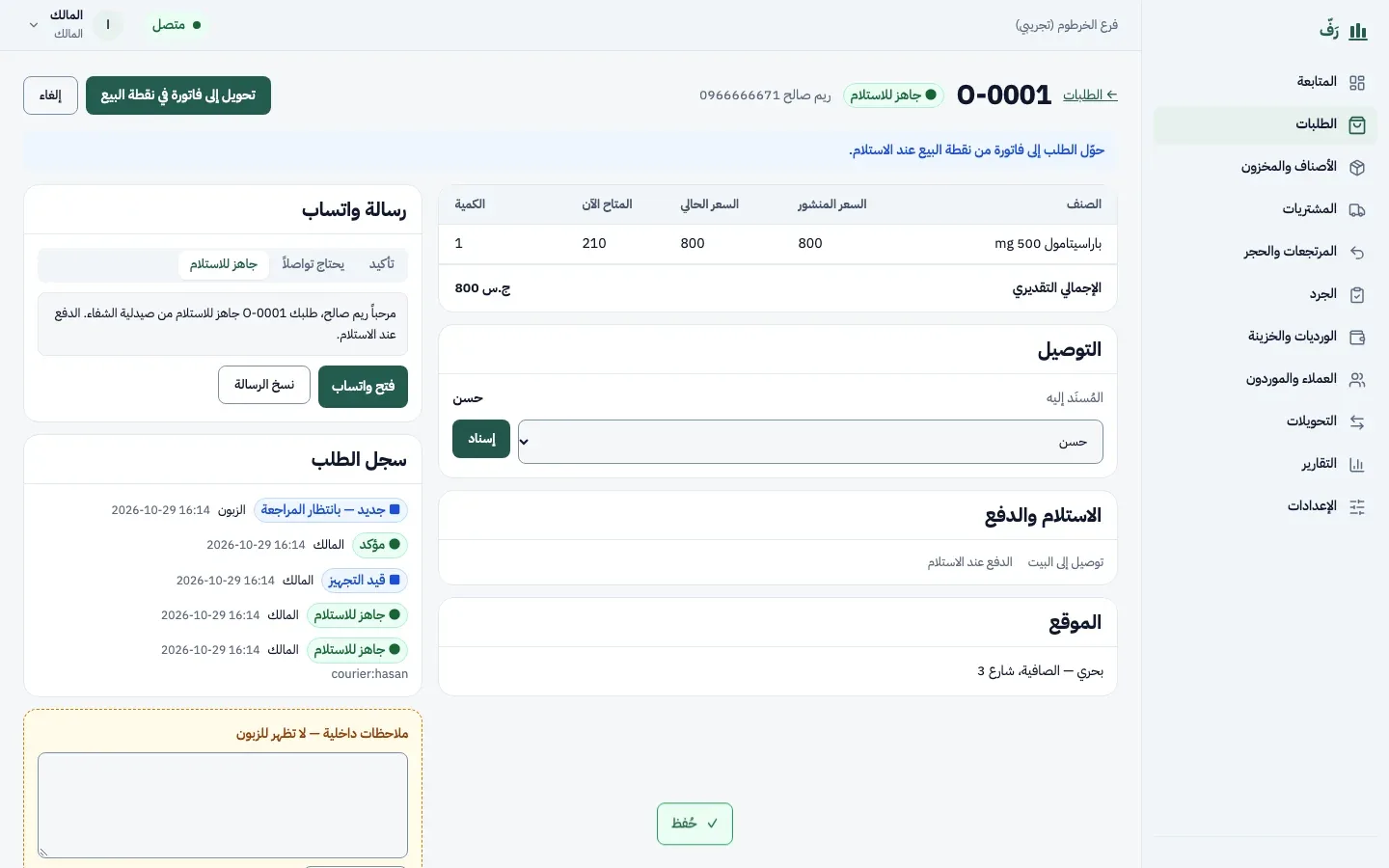
Assigning a delivery order to a courier, with the order history 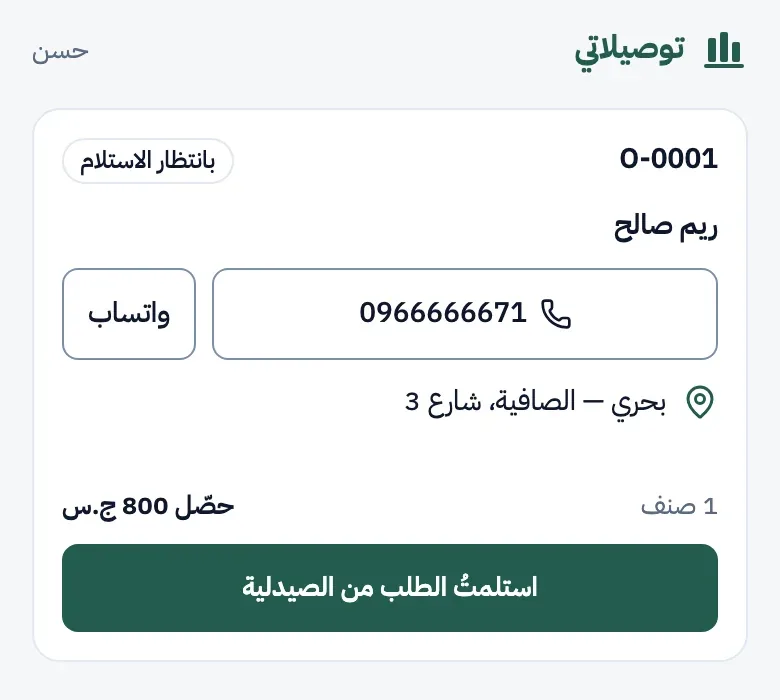
Courier app: customer, address, call and WhatsApp, and the amount to collect 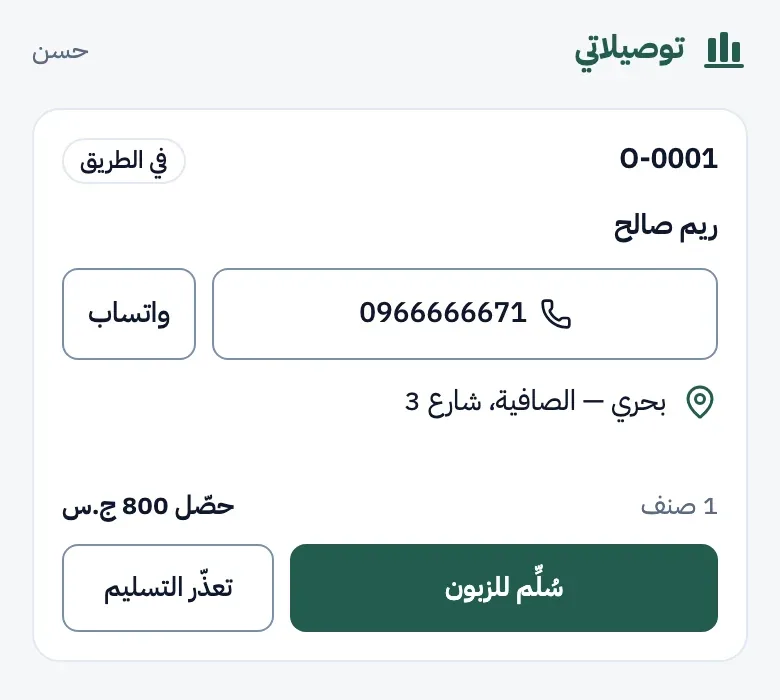
Courier app: the order is on the way, with the confirm-delivery button 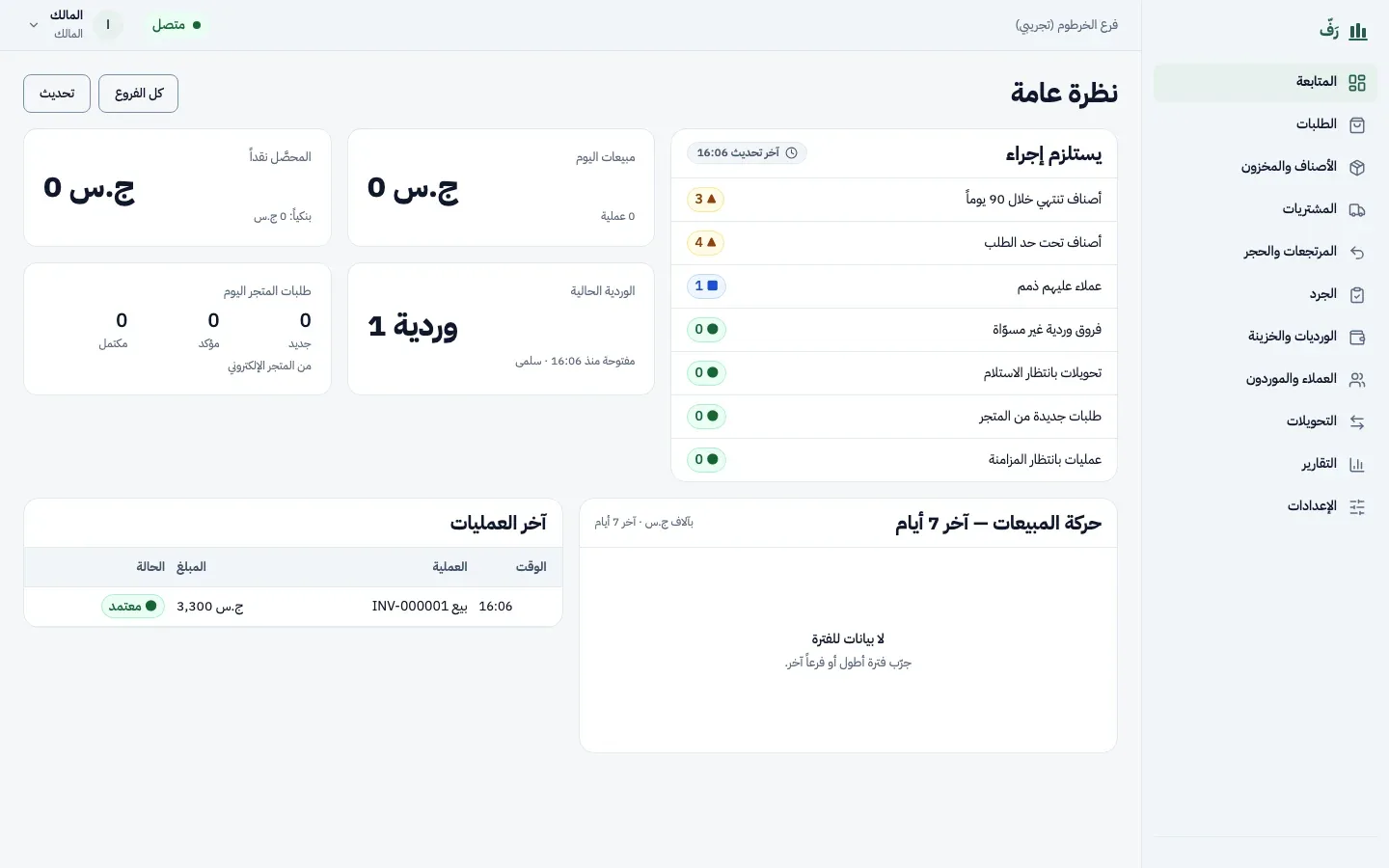
Dashboard: items needing action, today's sales and the current shift 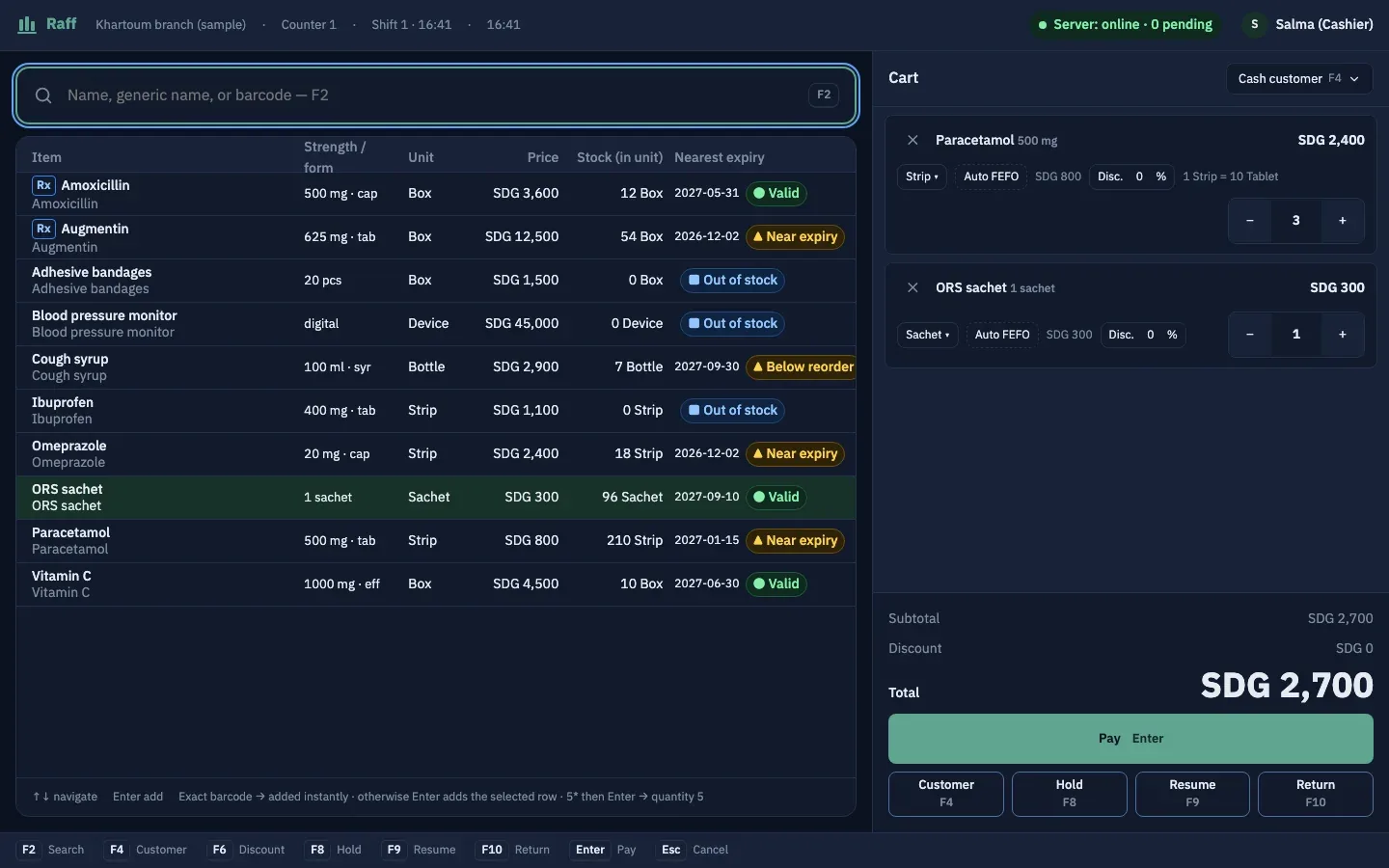
Point of sale: the cart, search by name or barcode, and FEFO batch picking 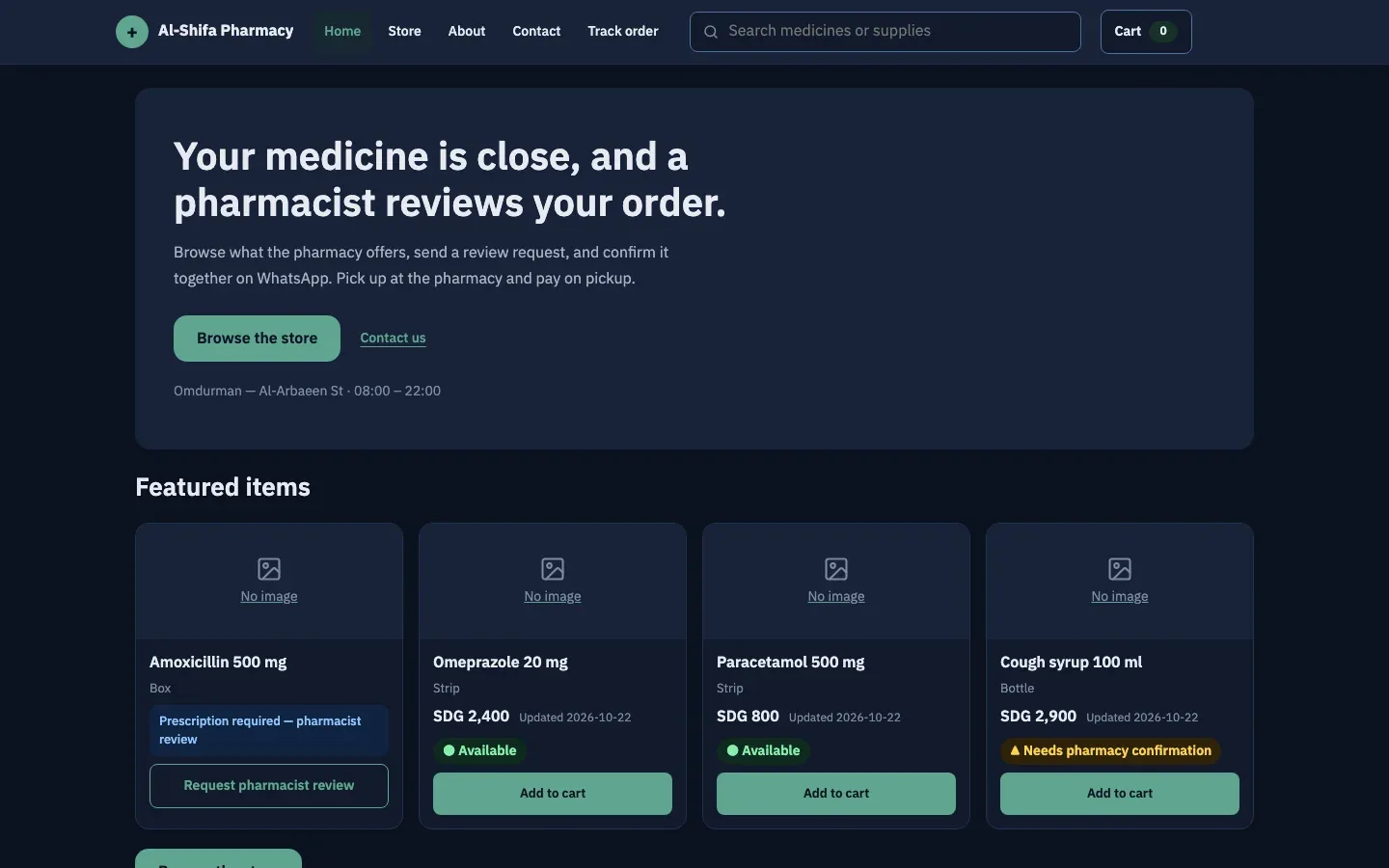
Online store: browse items and send an order or ask the pharmacist to review 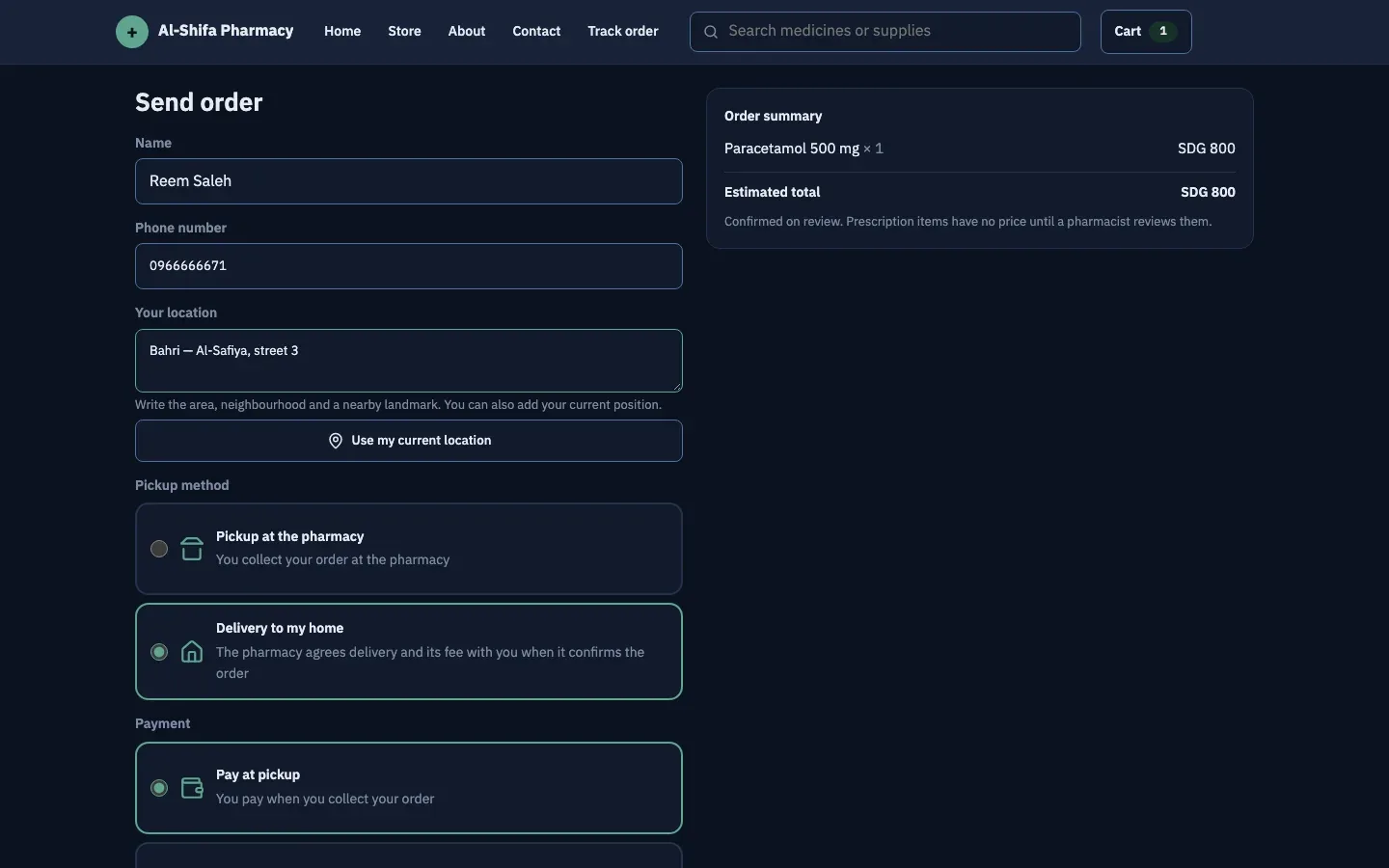
Checkout: home delivery, with cash on delivery or bank prepayment 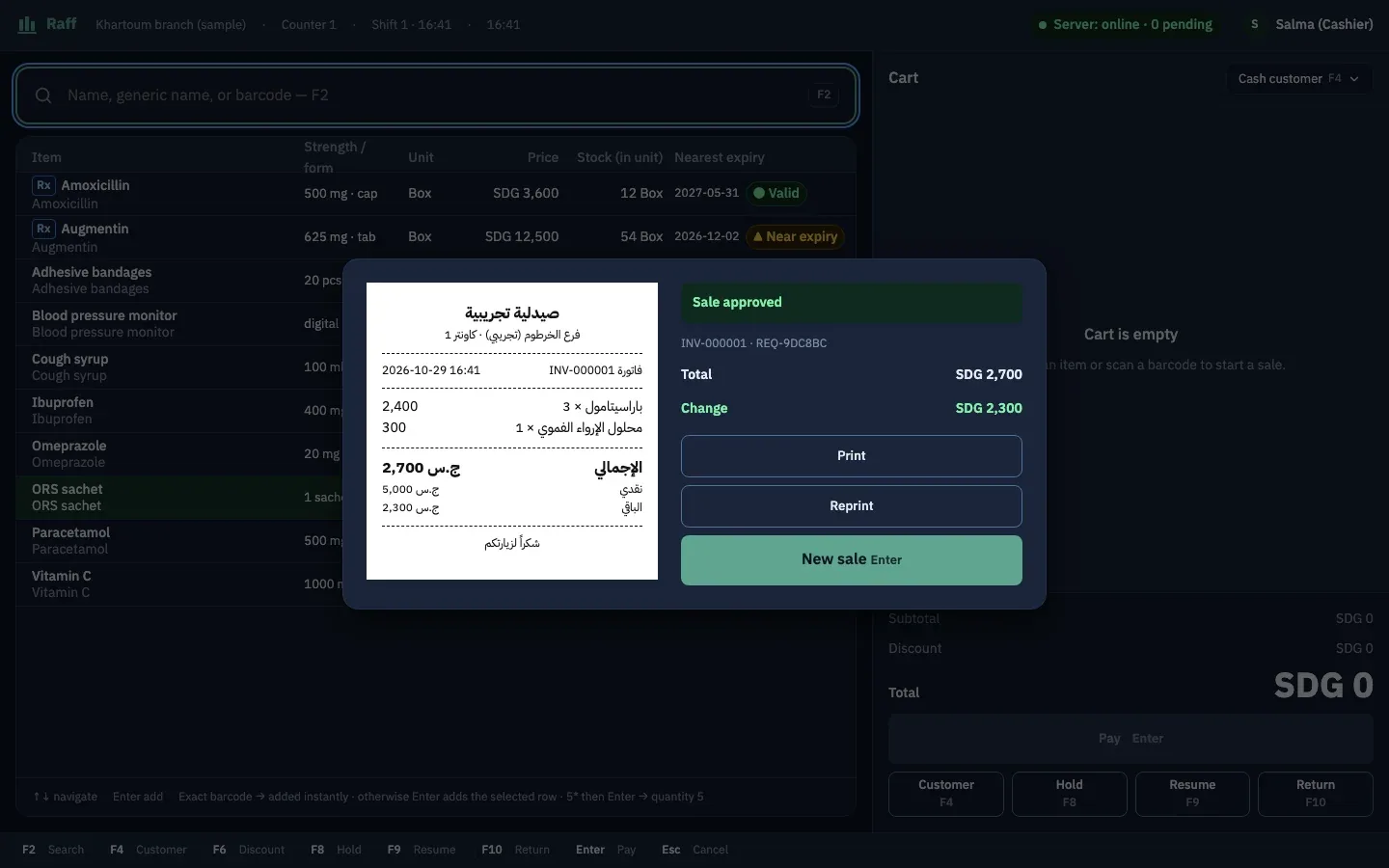
An approved sale: total, change and a printable receipt 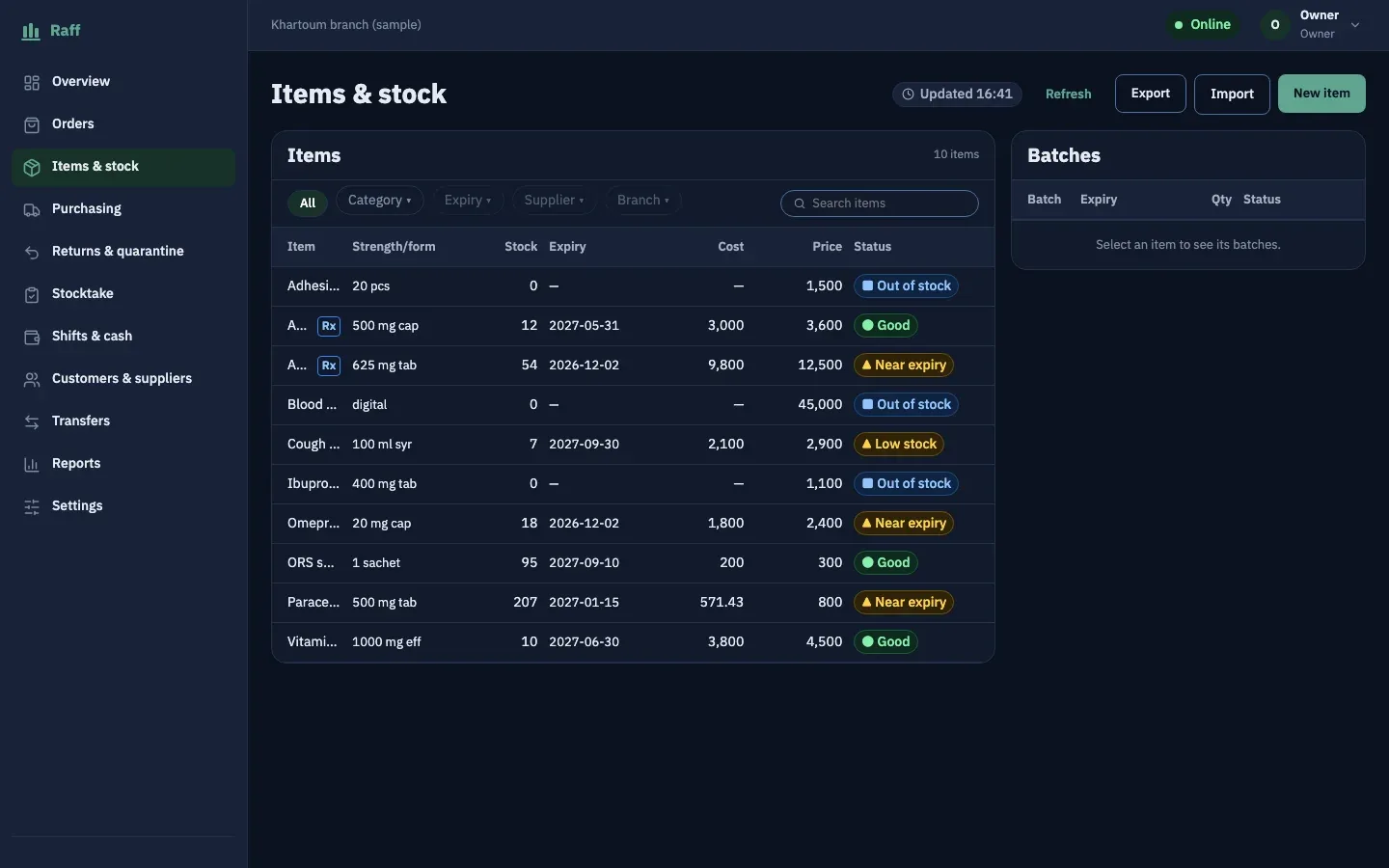
Inventory: batches, expiry dates and stock-out alerts 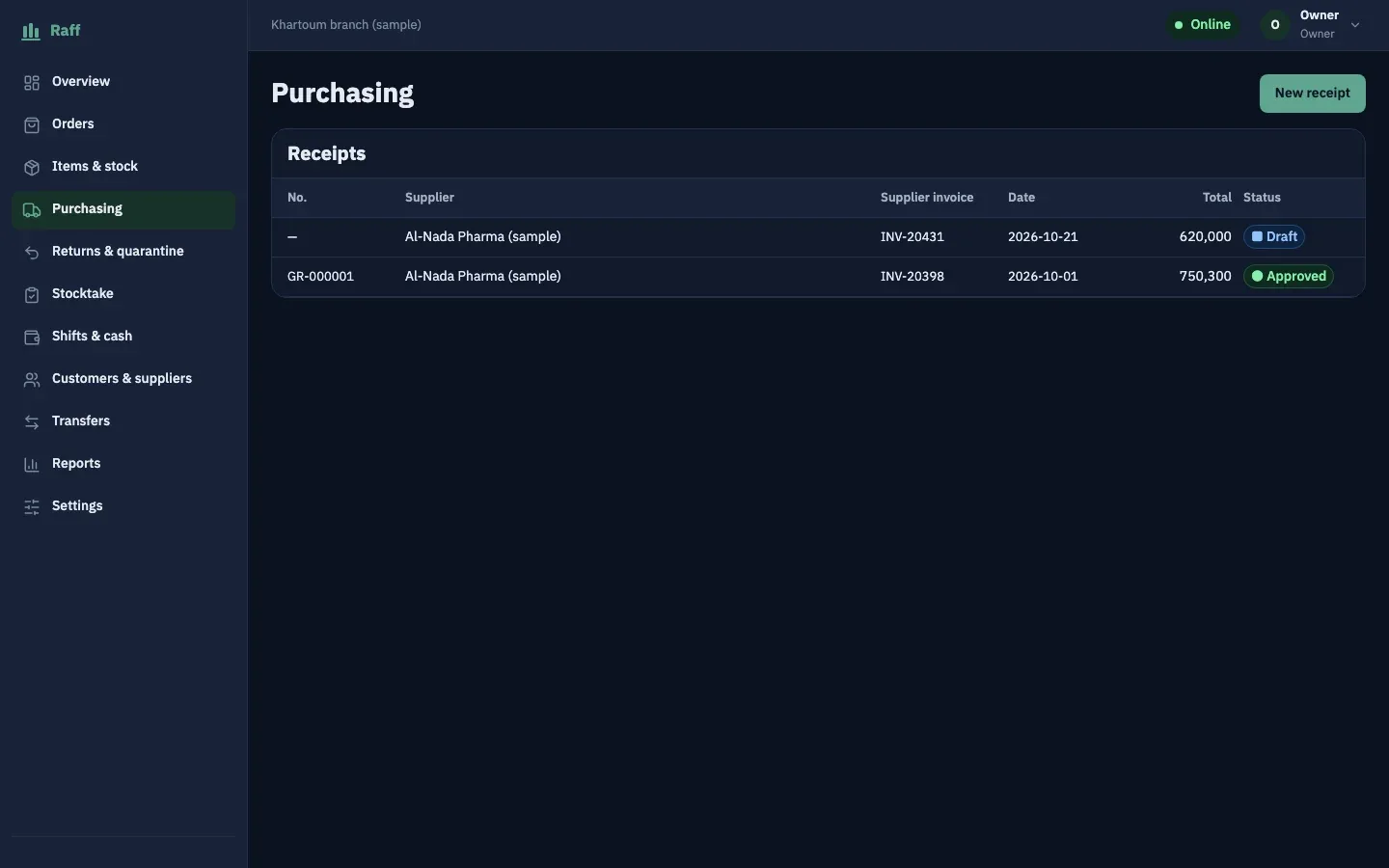
Purchasing: goods receipt from suppliers, from draft to approval 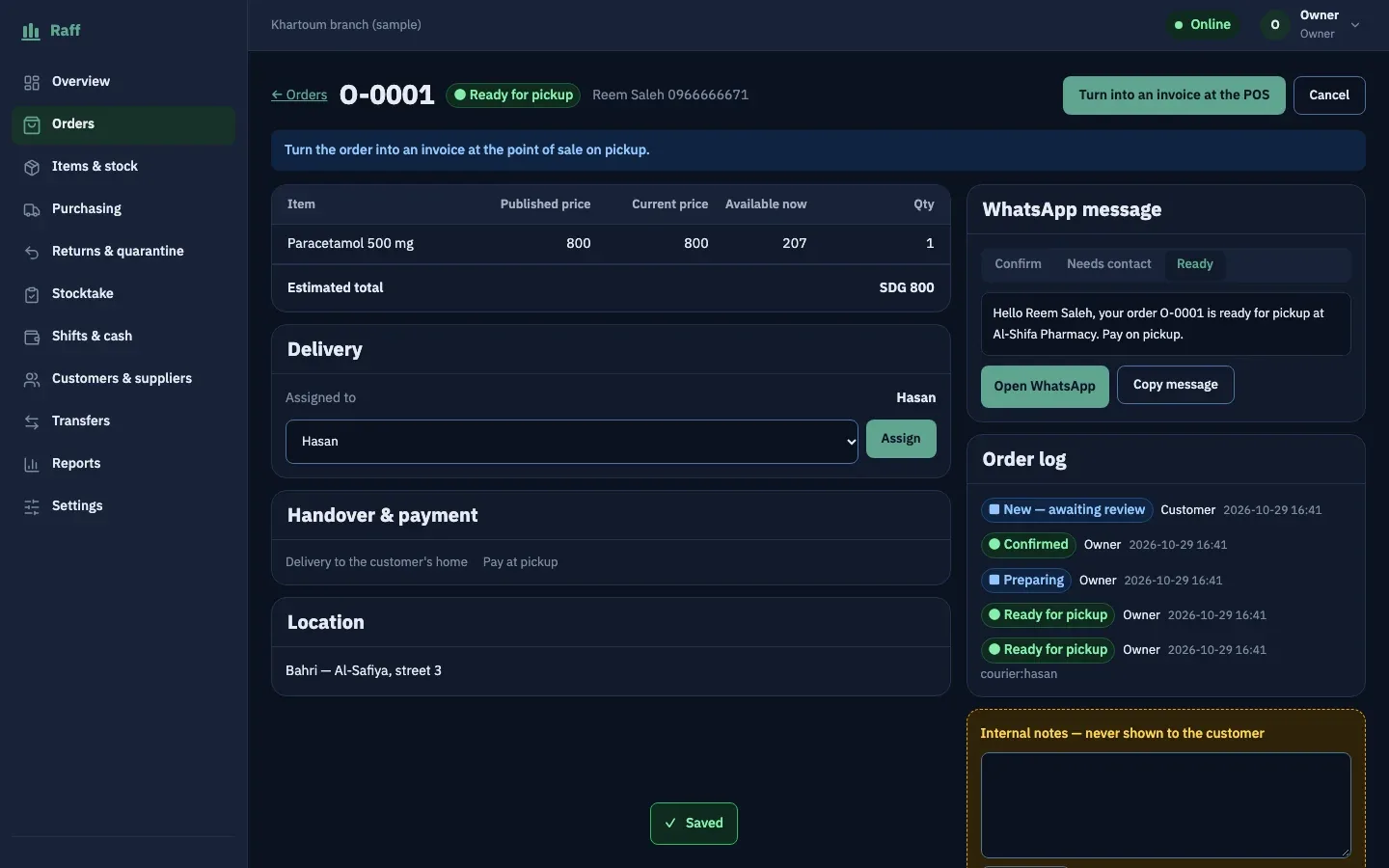
Assigning a delivery order to a courier, with the order history 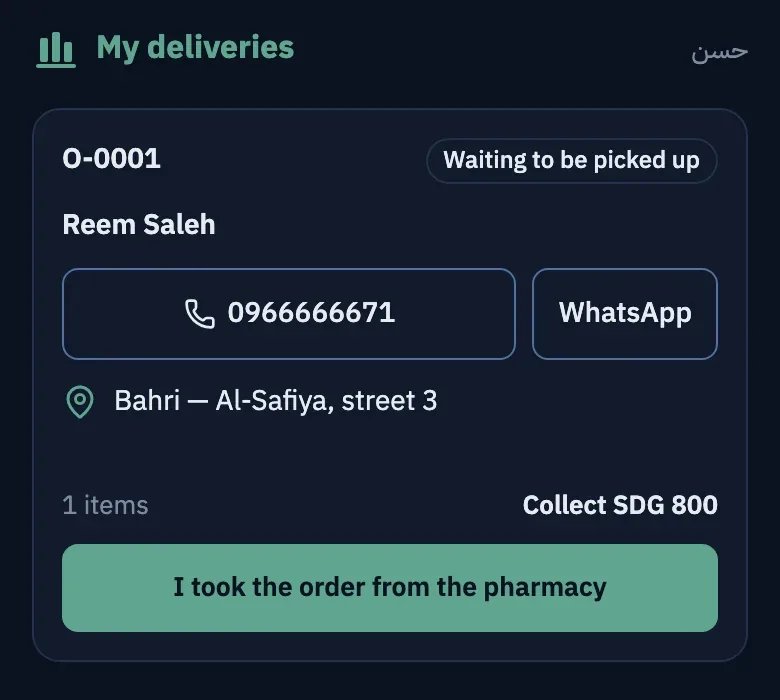
Courier app: customer, address, call and WhatsApp, and the amount to collect 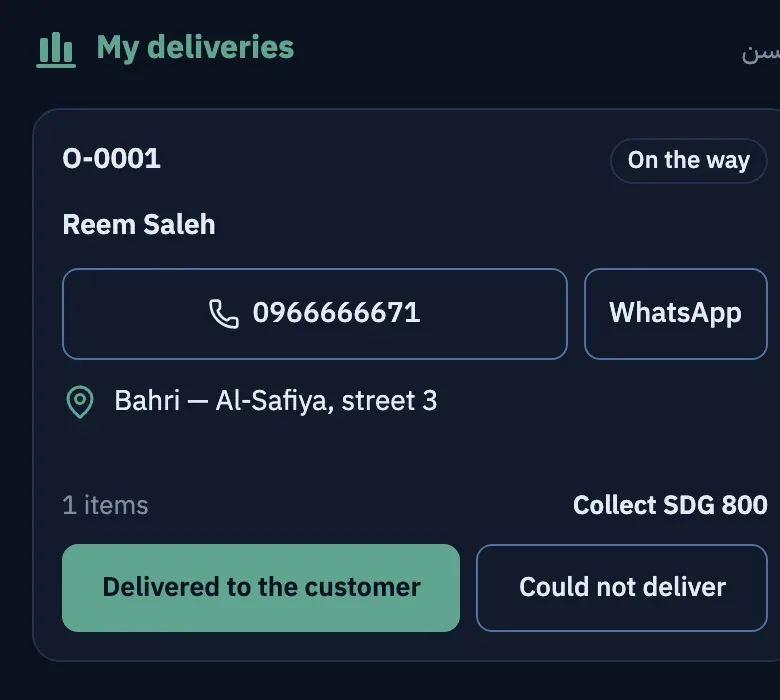
Courier app: the order is on the way, with the confirm-delivery button 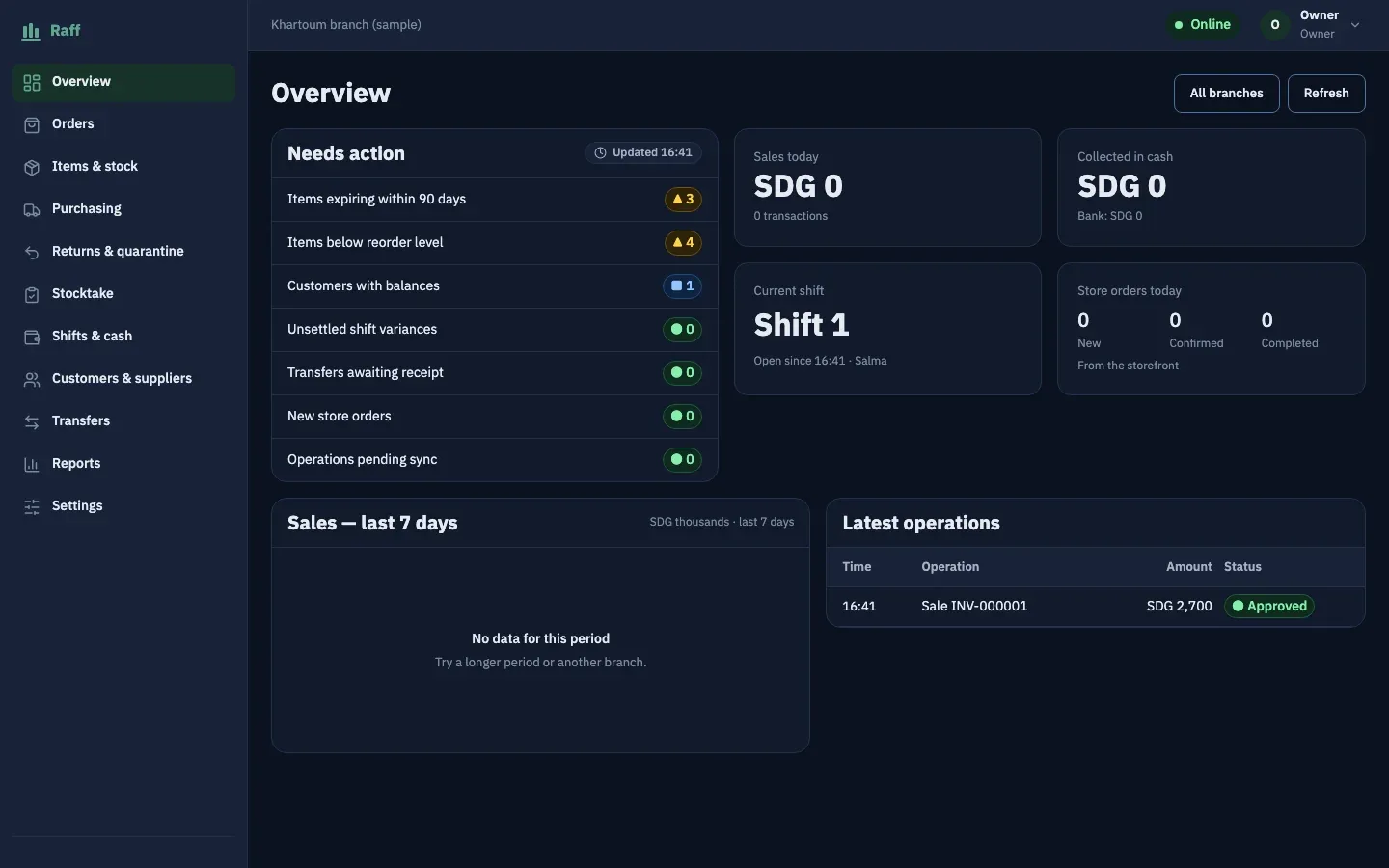
Dashboard: items needing action, today's sales and the current shift
Have a project in mind?
Send the details in three short steps and we will come back with an initial outline within one working day.